NVIDIA GTC 2021: Accelerating Manufacturing via GPU Simulation
How we used NVIDIA GPU-accelerated computation to run real-time CFD and structural simulations, bringing advanced composite manufacturing in-house.
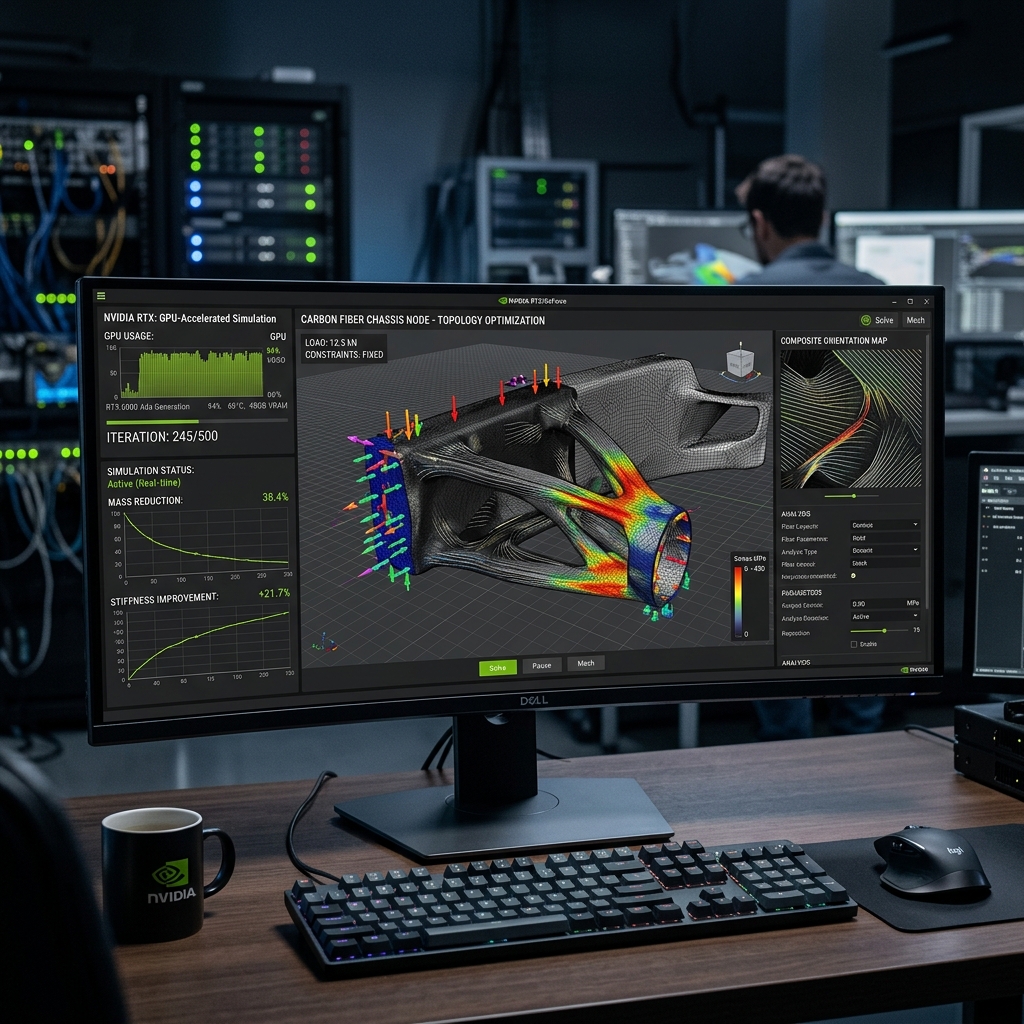
In custom hardware development, physical prototyping is a major bottleneck. Building a single composite bicycle frame prototype takes weeks of carbon layup, molding, and curing — only to find a minor structural error during lab testing.
To bypass this bottleneck, we set a target: simulate everything first. In our NVIDIA GTC 2021 presentation, we demonstrated how GPU-accelerated workstations allowed us to run complex computational fluid dynamics (CFD) and structural analysis in real time, bringing our development cycles entirely in-house.
The Hardware Barrier to High-Fidelity Simulation
Historically, high-fidelity engineering simulations required access to expensive high-performance computing (HPC) clusters. For a small manufacturing shop, submitting a simulation meant waiting overnight or over the weekend for a single run to complete.
If the results showed a stress concentration or turbulence, the design had to be modified and submitted again. This slow iteration speed made continuous simulation during the early design phase impossible.
KEY TAKEAWAY: When simulation runs take hours or days to compute, engineers are forced to make conservative design decisions rather than optimizing to the absolute physical limit.
Harnessing GPU Acceleration for Real-Time CFD
At GTC 2021, we shared how modern GPU architectures, like the NVIDIA RTX A6000, changed this dynamic. By utilizing CUDA cores and dedicated hardware acceleration in solvers like Ansys Discovery, we moved simulation from overnight batches to real-time interaction.
- Instant Geometric Feedback: As we modify a component’s surface curvature in CAD, the GPU updates the CFD airflow simulation instantly.
- Massive Parallelization: Running calculations across thousands of GPU cores simultaneously reduces compute times from hours to seconds.
- High-Fidelity Meshing: The GPU can generate and solve millions of elements quickly, providing accurate results on local workstations.
Bringing the Factory In-House
By accelerating the simulation loop, we eliminated the need to outsource engineering verification. We could test frame layups, dropout shapes, and rider ergonomics digitally on our Lenovo ThinkStation P620 workstations before machining a single mold.
This computational power allowed us to confidently manufacture complex components like the RF20 track frame in-house, compressing our product-to-market cycle times by several months and drastically reducing prototype waste.
Summary: The GPU-Driven Development Engine
GPU-accelerated simulation shifts validation from a late-stage gatekeeper to an active, real-time participant in the design process.
Key takeaways:
- Real-time feedback changes design: Interactive CFD and stress modeling allow for continuous refinement.
- Desktop supercomputing: High-end GPUs bring cluster-level performance directly to local engineering workstations.
- Shorter R&D cycles: Computational validation reduces the number of physical prototypes required to finalize a design.
Q&A
Q: Which software packages benefit most from GPU acceleration in your workflow? A: Ansys Discovery for real-time physics simulation, Autodesk Fusion 360 for cloud rendering, and NVIDIA Omniverse for real-time collaborative rendering.
Q: Do you use consumer-grade GPUs for this work? A: We use professional enterprise-grade GPUs like the NVIDIA RTX A6000. The larger VRAM buffer and ECC memory are essential for running stable, high-fidelity mesh computations.